

Voice & calls
Reference for phone numbers, call routing, voicemail, recording, and the softphone: everything voice in Signals.
Overview
Signals includes built-in voice calling. Your team can answer from anywhere—in the browser, on the mobile app, or on a cell phone the call is forwarded to.
Voice is available on all plans (Core, Pro, Enterprise).
Phone number types
| Type | Format | Use case |
|---|---|---|
| Local | Local number | A number in your own area code |
| Toll-free | 800/888/etc. | National reach, caller doesn't pay |
Numbers are set up through the Phone Setup wizard or by your account admin. Each account has one main incoming number.
Call flow
Here's what happens when someone calls your number:
Caller dials your number
  → Welcome greeting plays
  → Recording consent (if enabled)
  → Ring group agents ring (based on routing strategy)
  → Agent answers → whisper announcement plays → call bridges
  → If no answer → voicemail (if enabled)
  → If no answer + no voicemail → overflow actions trigger
Whisper announcement: Before the call connects, the agent hears a short message: "Call for [Business Name]." This tells the agent which business line the call is for, especially useful if agents handle multiple accounts.
Routing strategies
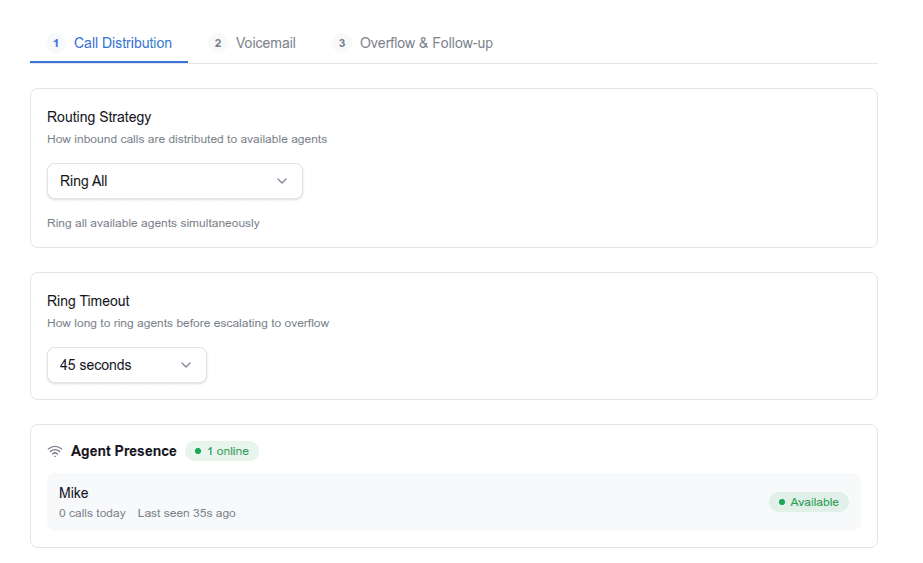
| Strategy | How it works | Distributes by |
|---|---|---|
| Ring All | All available agents ring simultaneously | Speed (first to answer) |
| Round Robin | Routes to the agent with fewest calls today | Daily call count |
| Longest Idle | Routes to the agent idle longest since their last call | Time since last call |
Configure your strategy in Phone & Routing → Call Routing, on the Call Distribution tab. You need to be a manager or an admin.
Who answers calls
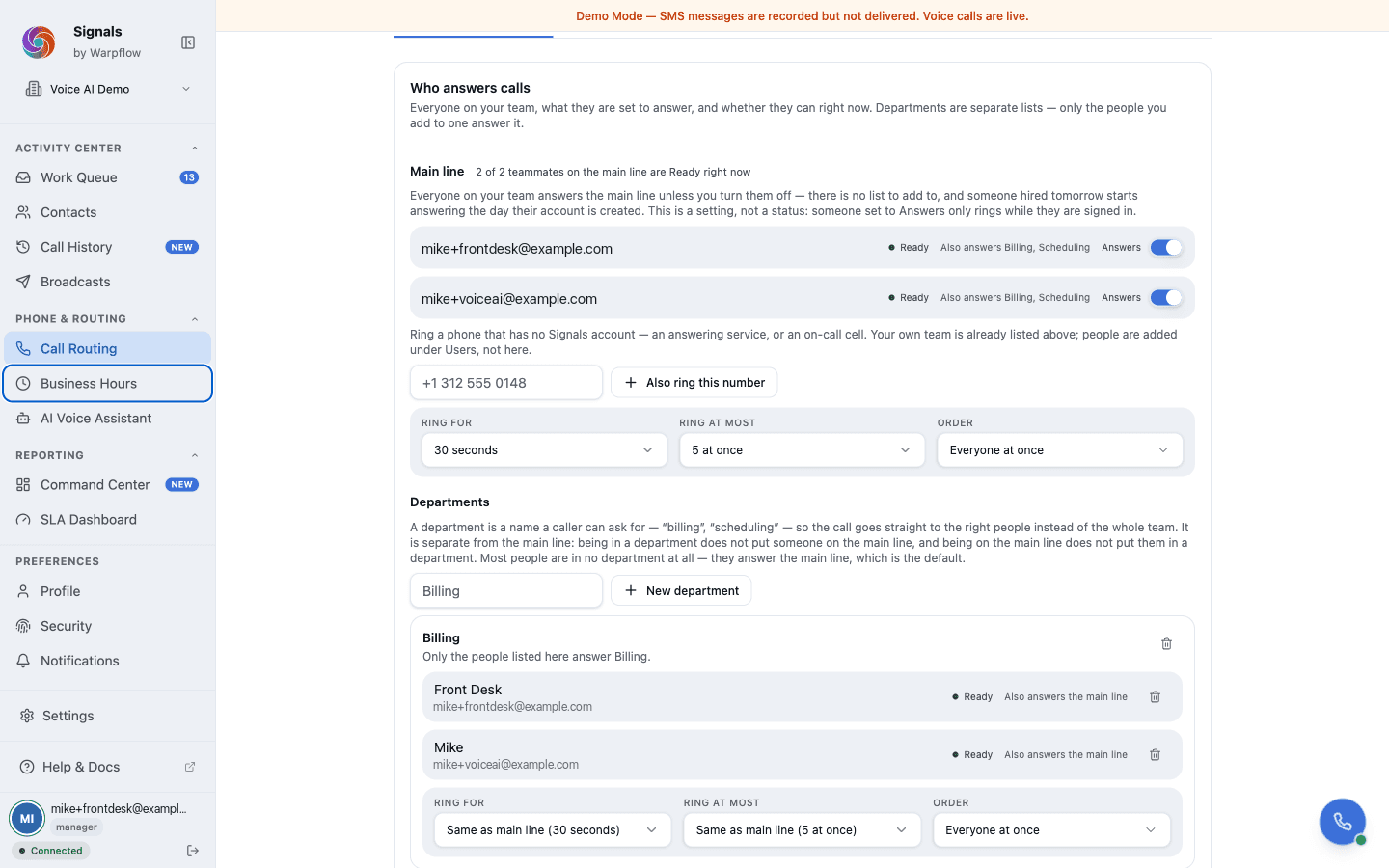
Phone & Routing → Call Routing shows one list of everyone on your account. Each row carries both halves of "can this person take a call": what they are set to answer, and whether they can right now.
The routing knobs—ring timeout, how many people ring at once, and the order—sit on the list they govern, and each list has its own.
The main line
Your main line is the list that answers calls to your number when no department is involved. Add someone by picking them from your team; you cannot type in a name that belongs to nobody.
To ring a phone that has no Signals account—an answering service, or an on-call cell—add it as an outside number instead. Your own team is added under Users, not here.
Departments
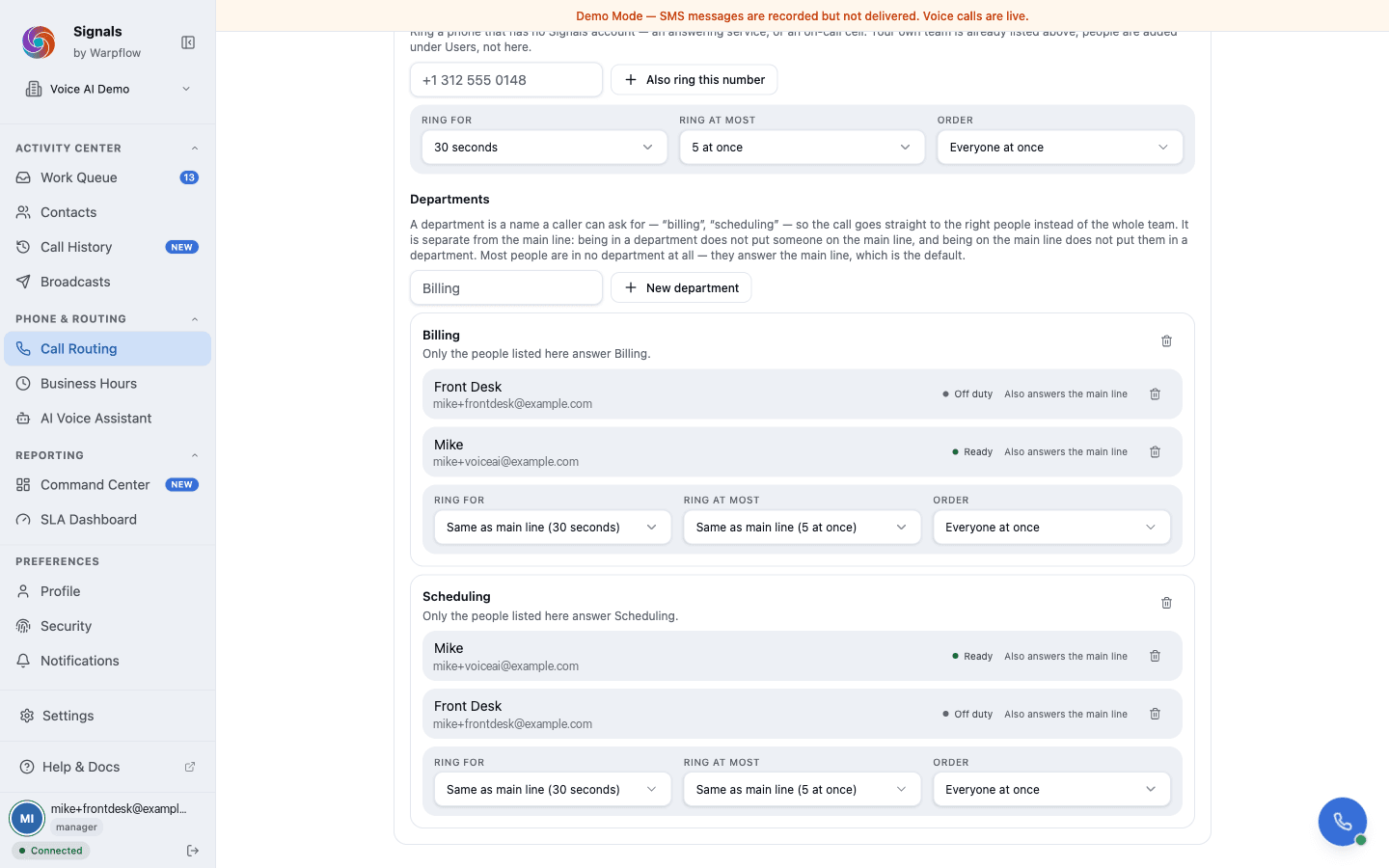
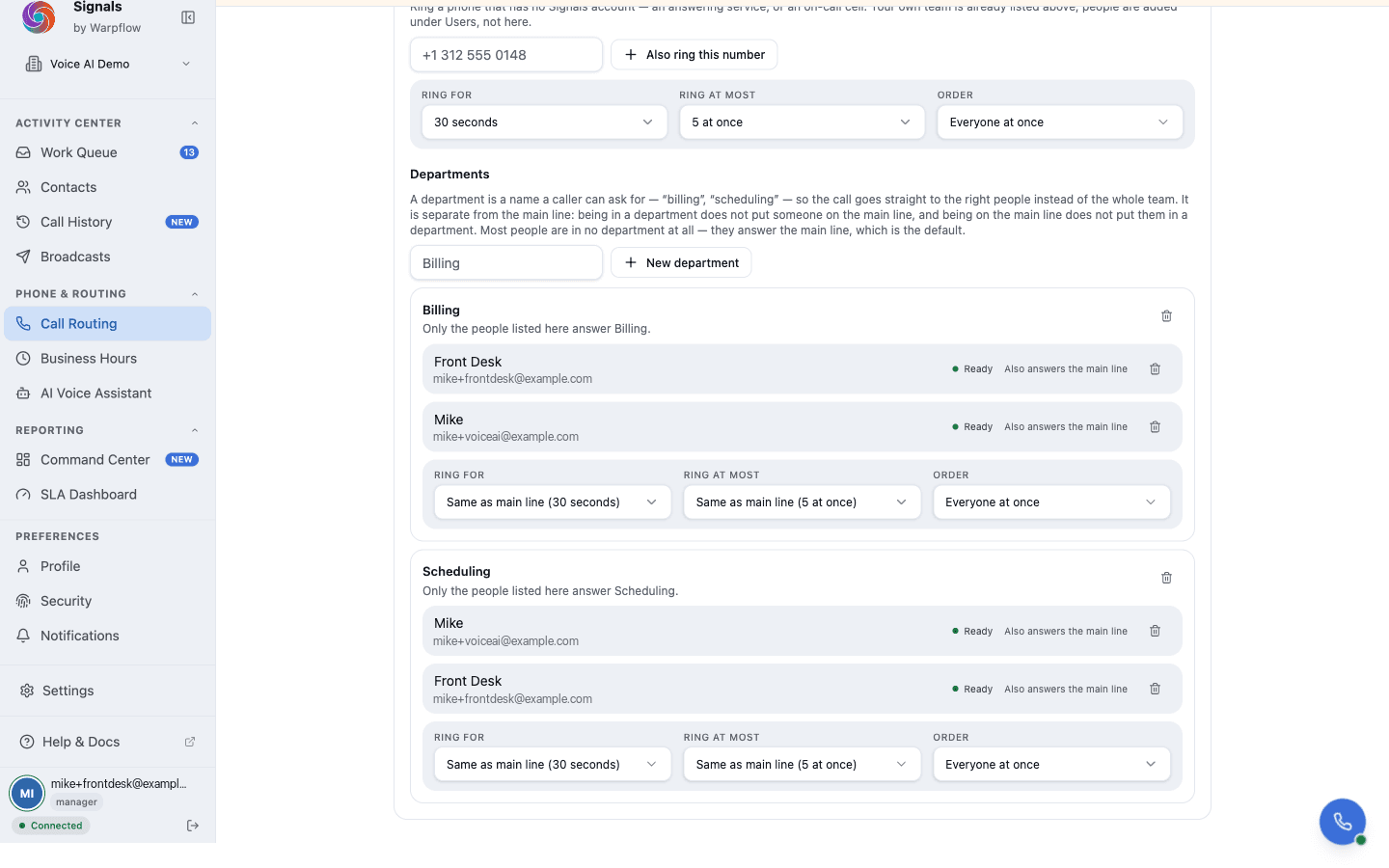
A department is a named list with its own members and its own routing settings: Billing, Scheduling, Front Desk. You can have up to 20.
Each department inherits the main line's ring timeout and rotation until you override them, so you only set what differs.
Two things worth knowing before you build them:
- Being in a department does not put someone on the main line, and being on the main line does not put them in a department. The two lists are separate on purpose—that is what lets a call to Billing ring Billing and nobody else.
- A department with no members answers nothing. The page marks an empty one, because a caller sent there would otherwise reach silence.
Creating and editing departments is a manager or admin task. Agents can send a caller to a department from the softphone without being able to change one.
An example
A dental practice with six people sets up three departments:
| Department | Who is in it | What it is for |
|---|---|---|
| Front desk | Dana, Priya, Marcus | New callers, general questions |
| Scheduling | Priya, Marcus | Booking, moving and cancelling visits |
| Billing | Sam | Invoices, insurance, payment questions |
Priya and Marcus are in two departments, and Sam is in none of the others. That is normal—someone can be in as many as their job covers, or none at all.
Three things then happen differently:
- A caller asks about their bill. Whoever picks up sends them to Billing from the softphone. Sam's phone rings, not the whole practice, so nobody else stops what they are doing for a call they cannot help with.
- Sam is off duty. Nobody in Billing is available, so the call follows your overflow setting: voicemail, or an outside number if you have set one. It does not quietly fall back to the front desk.
- A caller rings your main number. The main line answers, exactly as before. Departments change nothing until somebody directs a call to one.
Where to start
Departments usually earn their place once one of these is true:
- People are interrupted by calls they cannot help with
- Callers get passed around more than once before reaching the right person
- One person owns a topic—billing, insurance, scheduling—and everyone knows it
If none of that sounds like your practice, the main line on its own is fine. Departments are worth adding when a call needs to reach a particular desk, not just whoever is free.
Keep the main line stocked. A department only receives calls somebody sends there, so if you move everyone into departments and leave the main line thin, ordinary incoming calls have fewer people to reach.
Who can take a call right now
Every row on the list shows live availability, in one vocabulary used everywhere in Signals:
| Status | Receives calls? | What it means |
|---|---|---|
| Ready | Yes | Signed in and available |
| On a call | No | Currently on an active call |
| Wrapping up | No | Finishing notes after a call |
| Off duty | No | Signed in, and has chosen not to take calls |
| Not signed in | No | No active session |
Agents set Ready or Off duty themselves. On a call and Wrapping up are set by Signals as calls come and go—they are not choices.
Off duty and Not signed in are different, and Signals treats them differently. Off duty is a decision, so calls skip that person. Not signed in means no session was found—someone whose mobile app is registered can still be reached by a push notification.
Why a call did not reach me
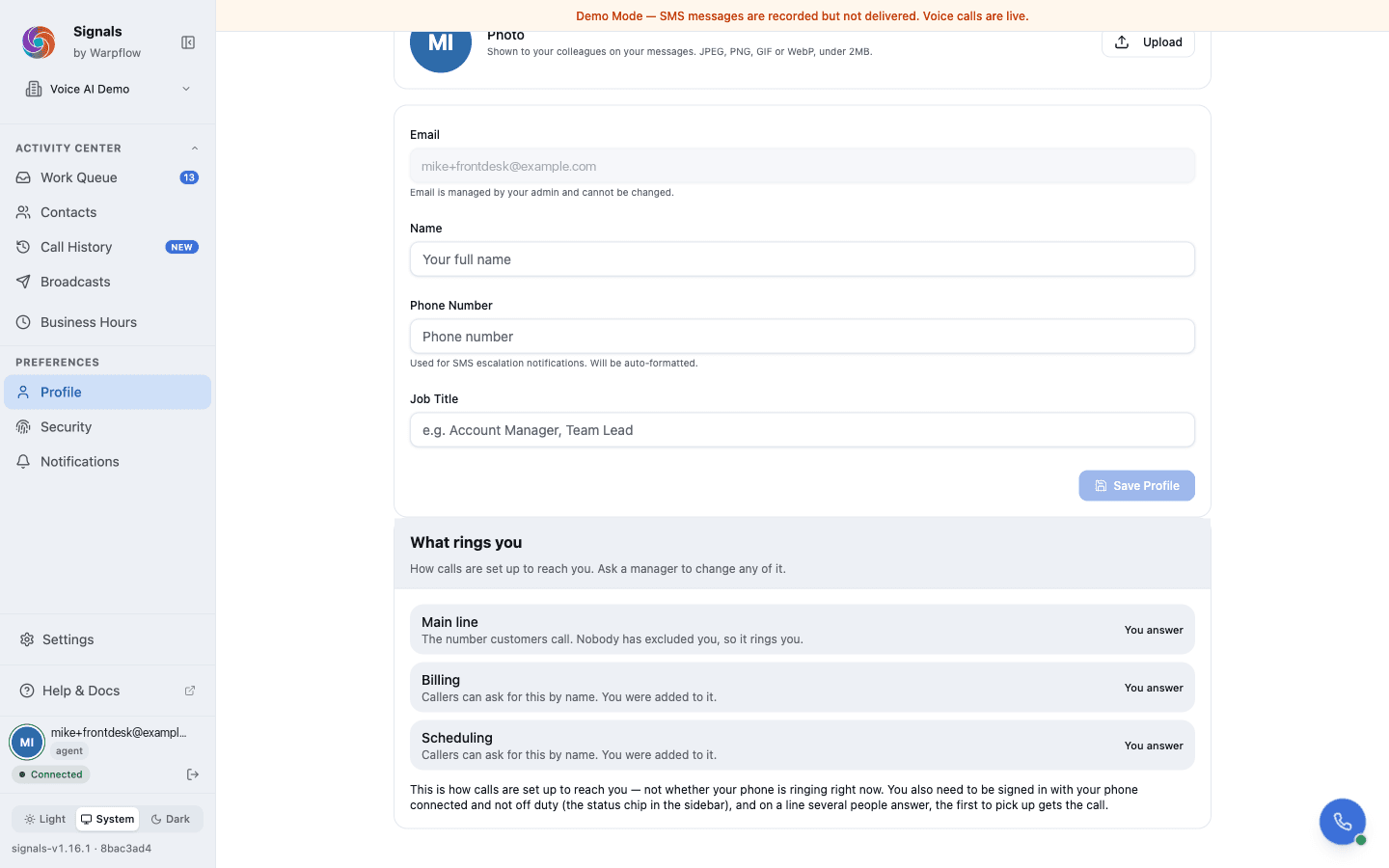
Any agent can open Settings → Profile and read What rings you—a list of the main line and every department, each saying whether they answer it and why not if they do not. It is the fastest answer to "that call should have come to me," and it does not need a manager.
Voicemail
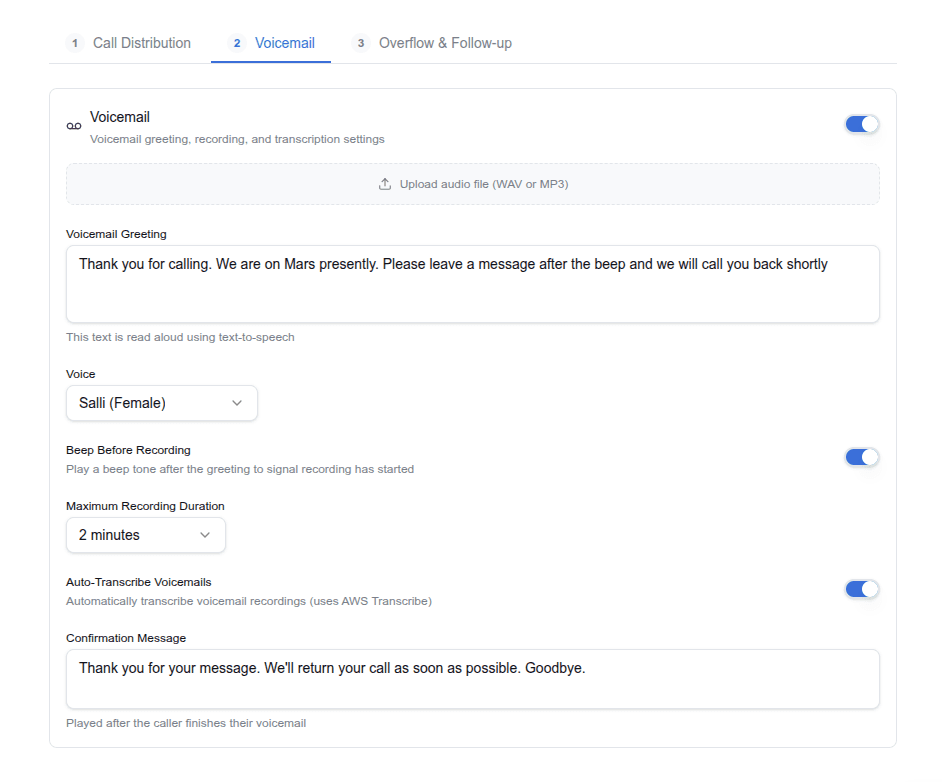
When voicemail is enabled and no one answers:
- The voicemail greeting plays (TTS with your chosen voice)
- A beep sounds (configurable)
- The caller records their message (up to the max duration you set)
- The recording is saved and encrypted
Call transcription: Calls your team answers can be transcribed too, so you can read what was said instead of replaying the recording. It is included at no extra cost and off by default. See Read call transcripts.
Current offers: voicemail can read out your live specials straight after the greeting, just before recording starts. It is off unless you turn it on, and your greeting is untouched, including one you recorded. See Manage current offers.
Auto-transcription: When enabled, voicemails are transcribed to text. The transcription appears in the Work Queue alongside the audio recording. Transcriptions also feed into the routing pipeline, where AI can classify voicemail intent and score the lead.
Hold music
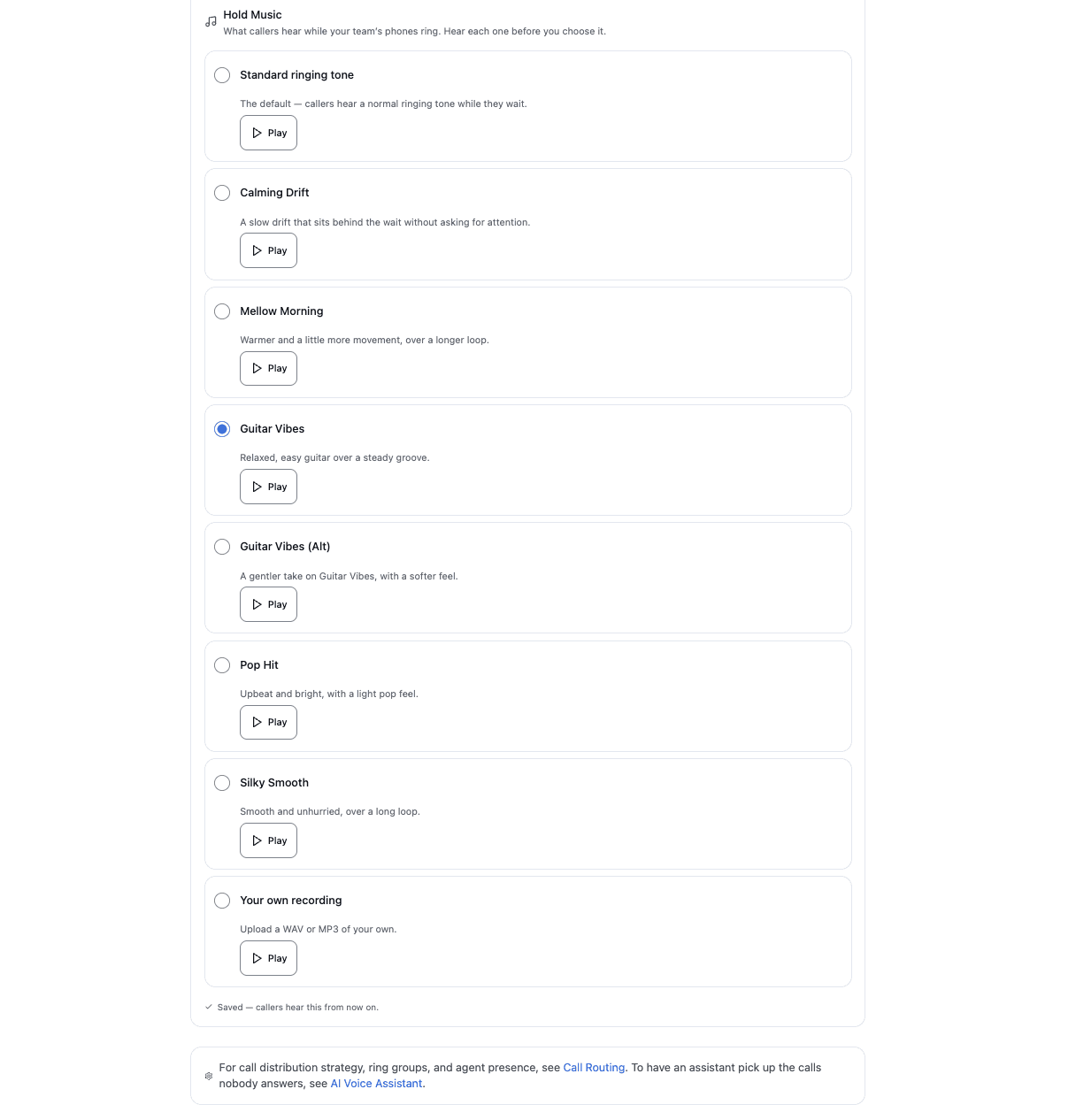
Hold music is what callers hear while your team's phones ring. Managers and admins choose it under Phone Setup → Call Handling → Hold music:
- Standard ringing tone: the default. Callers hear a normal ringing tone
- Six tracks: Calming Drift, Mellow Morning, Guitar Vibes, Guitar Vibes (Alt), Pop Hit and Silky Smooth, each mastered to sound clear on a phone line
- Your own recording: upload a WAV or MP3 file
Press Play next to any option to hear it before you choose. The change applies to the next call.
Call recording
- One switch: recording and the notice callers hear are the same setting. Turn recording on and callers are told; turn it off and Signals records none of your answered calls. There is no way to record without telling the caller.
- If the notice does not play: the caller is still connected and the call is not recorded.
- Messages callers leave: voicemail is recorded whether or not call recording is on. The caller is speaking to a machine and choosing to leave a message.
- Encrypted: recordings are stored with encryption at rest
- Playback: recordings play via presigned URLs in the Call History page and conversation timeline
- HIPAA compliant: on healthcare accounts, recordings are encrypted with keys unique to your account, and every access is logged
Call history
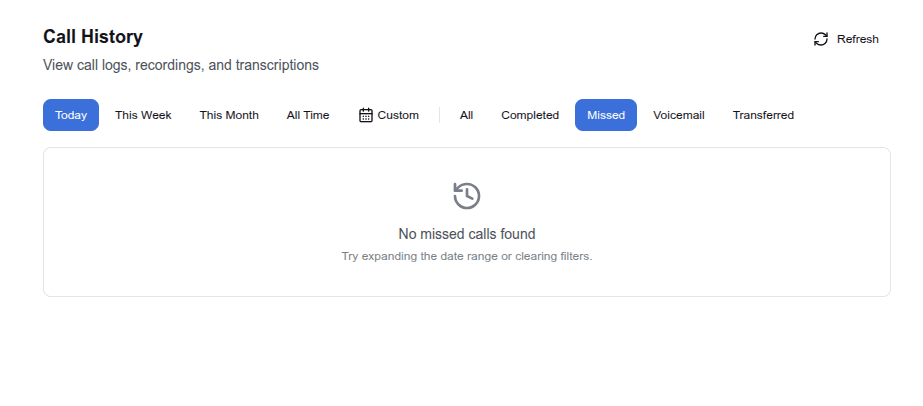
The Call History page shows a complete log of all calls.
Filters:
- Date range: today, this week, this month, all time, or custom range
- Disposition: completed, missed, voicemail, transferred
Each call record shows:
- Date, time, and duration
- Caller name and number (if known)
- Direction (inbound/outbound)
- Disposition
- The recording, which plays in place when you open the call
- Transcription (for voicemails, and for answered calls when call transcription is on)
A call the AI receptionist handed to your team shows both parts, numbered in order: the assistant's part first, then your team member's. Each part plays on its own. With call transcription turned on, your team member's part is transcribed; the assistant's part already has its own transcript.
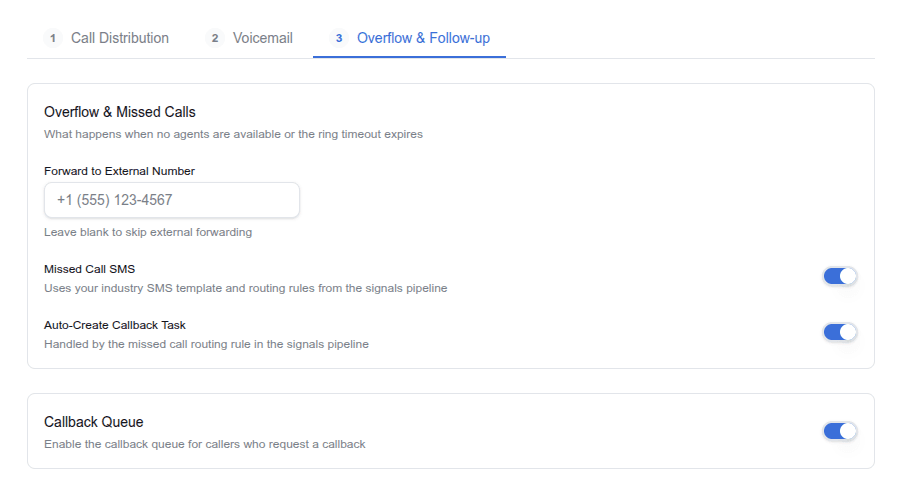
Missed call handling
When a call goes unanswered and voicemail isn't left (or voicemail is disabled):
- Auto-SMS: send an automatic text to the caller: "Sorry we missed your call."
- Auto-callback task: create a follow-up task in the Work Queue
- Routing rules: missed calls generate a
missed_callsignal that flows through your routing pipeline. You can build rules that trigger specific actions for missed calls.
All three can be enabled simultaneously in Voice & Channels → Phone → Overflow.
After-hours and holiday calls
Calls outside business hours follow your after-hours configuration:
- After-hours greeting: plays instead of the standard welcome greeting
- Direct to voicemail: skip ringing agents and go straight to voicemail greeting, then record
- Forward to number: route after-hours calls to an external number (answering service, on-call phone)
- Routing rules: the
_is_after_hourscondition lets you build rules that fire only for after-hours calls
Business hours are configured in Settings → Business Hours. See Business Hours for details.
Caller ID
When calls forward to an agent's cell phone, the caller ID shows the original caller's number, not the Signals business number. This lets agents see who's calling and return calls directly.
Softphone
The softphone is a built-in browser phone. See Use the Softphone for the full guide.
Related guides
- Set up phone & voice: initial phone setup wizard
- Manage current offers: read your current specials out on the hold announcement and voicemail
- Use the softphone: in-browser calling controls
- Manage notifications: configure call alerts
- Routing Rules: build rules that trigger on missed calls, voicemails, and after-hours calls