

Set up business hours
Configure your timezone and weekly schedule so Signals knows when you're open and when to use after-hours rules.
Why business hours matter
Business hours control three things:
- After-hours routing: rules can fire differently outside your operating hours (for example, send an after-hours template instead of creating a callback task)
- SLA timers: response time tracking pauses overnight so your team isn't penalized for messages that arrive at 2 AM
- Auto-reply gating: optionally limit AI replies to business hours only, queuing overnight messages for morning review
Set your timezone
- Go to Business Hours in your dashboard
- Select your timezone from the dropdown
Set your timezone first. A wrong timezone means every after-hours rule fires at the wrong time. If you're in Central Time, make sure it says Central, not Eastern.
Set your weekly schedule
For each day of the week:
- Toggle the day Open or Closed
- Set the start time (when you open)
- Set the end time (when you close)
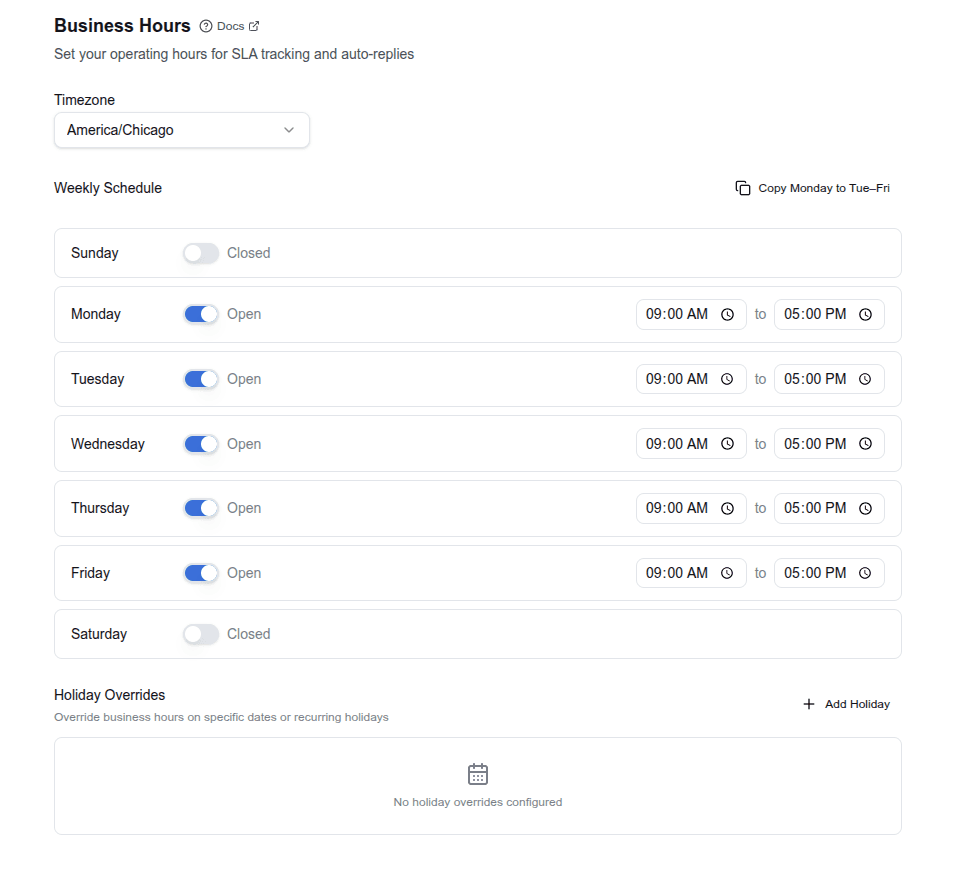
Shortcut: Use "Copy Monday to Tue–Fri" to quickly set a standard weekday schedule, then adjust individual days as needed.
The default schedule is Monday–Friday, 9:00 AM to 5:00 PM, with Saturday and Sunday closed.
How after-hours rules work
When a message arrives, Signals checks the current time against your schedule. If it's outside your open hours, the _is_after_hours condition becomes available to your routing rules.
Example: A message arrives at 8:47 PM and your Tuesday hours are 9:00 AM to 5:00 PM. Since 8:47 PM is after 5:00 PM, any rule with an _is_after_hours = true condition will fire.
Most industry presets include a default after-hours rule that sends an acknowledgment template. You can customize this on the Routing Rules page.
Test it
- Go to the Test Runner
- Paste a customer message
- Run the test outside your configured business hours
- Verify that your after-hours rules match and the correct template is selected
The test runner evaluates business hours at the time you run the test, so timing matters.
Tips
- Saturday walk-in businesses: toggle Saturday to Open and set your hours. Many service businesses forget to configure weekends.
- Multiple locations with different hours: each Signals tenant has its own schedule. If you're an agency, each location configures its own hours.
- SLA timers are automatic. Once you set business hours, SLA tracking pauses and resumes with your schedule. No extra configuration needed.
Manage current offers
Keep your specials in one place, give them start and end dates, and have Signals recite them on your hold announcement, your voicemail, and your after-hours text.
Test before going live
Use the test runner to verify your entire pipeline (classification, scoring, routing, replies, and Signal Guard) before enabling live responses.